The Sonoris DDP Creator is a versatile, user-friendly application for creating high-quality audio masters, compatible with nearly any DAW. Whether you’re assembling professional Red Book-compliant CDs or vinyl masters, you can easily import and export DDP 2.00 images and Cue Sheet (cue) files, burn and rip CDs, and even upload and share your masters in the cloud.
CD authoring
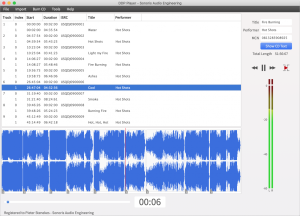
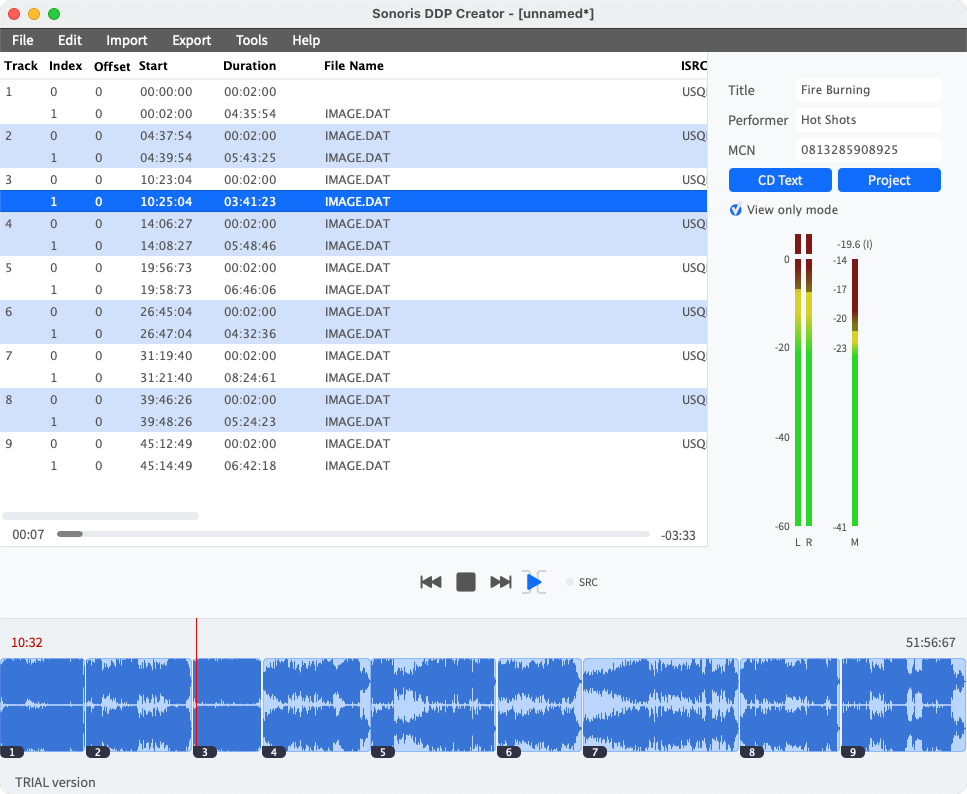
With the DDP Creator you can assemble a RedBook compatible CD by just dropping mastered 16 bit wav or aif files on the workspace and set the track order. After that you can adjust the spaces between tracks and audition this by playing back the transition from one track into another. Then edit the PQ points, ISRC, MCN and CD-Text data. Finally export to DDP, Cue Sheet or CD and print a PQ sheet if needed.
DDP export
With the DDP Creator you can assemble a RedBook compatible CD by just dropping mastered 16 bit wav or aif files on the workspace and set the track order. After that you can adjust the spaces between tracks and audition this by playing back the transition from one track into another. Then edit the PQ points, ISRC, MCN and CD-Text data. Finally export to DDP, Cue Sheet or CD and print a PQ sheet if needed.
DDP import
Besides DDP export the DDP Creator can import (loadback) a DDP fileset too, including DDP images made by other software, like Bias Peak Studio (XT), Sonic Studio HD, SADiE, Sequoia or Pyramix. This feature allows you to check the project including all PQ codes, ISRC, MCN and CD-Text data. You can edit the project, playback tracks and export to DDP, Cue Sheet or burn a Redbook compatible CD from it.
Compatibility
Most DDP software packages or add-ons are very expensive, but the DDP Creator is competitively priced. Together with the powerful import features it is the perfect choice for everyone who needs a professional CD authoring and DDP solution without the need to switch to another DAW software. For example, you have assembled a CD in your favorite audio editor but need to deliver a DDP fileset? Simply add audio files or use one of the powerful import features like .cue Cue Sheet files from Wavelab, CD Architect .wav image files or Pyramix .pmi files or rip a CD and then export the project to DDP.
Enhanced CD
Besides audio data a CD can also hold computer data like images, videos, songtexts or even program files. A CD with such additional data is called an Enhanced CD (a.k.a. CD Extra or CD Plus). It is possible to add data in the space before the first track or as a separate data session on the CD. The DDP Creator supports the extra session as this is the most common and compatible format. When an Enhanced CD is played back in a normal CD player it will
play just like any other audio CD. But when this CD is opened on a Windows PC or Mac it will show the data session as an extra drive.play just like any other audio CD. But when this CD is opened on a Windows PC or Mac it will show the data session as an extra drive.
Never clip again
Encoding audio to .mp3 or .m4a (AAC) can introduce clipping even if the source audio is free from clipping. To prevent this you have to attenuate the source audio. But how much attenuation is needed? This is where No Clip Technology will help. It will encode and on-the-fly decode and analyse the decoded audio. It then adjusts the pre-encoder attenuation by the correct amount to prevent clipping.
iOS app
An iOS version of the DDP Player is included. The installation is simple, just download the free DDP Player app in the Apple App Store and use your serial number to unlock it. The DDP Player for iOS supports DropBox for easy DDP file import.
requirements:
mac:
cpu: Intel Core i3 (or Apple Silicon M1 with Rosetta 2) or better
ram: 4
disk: 1
version: Mac OSX 10.11 or higher
internet required: no
support:
64_bit
plugins:
STAND-ALONE
windows:
cpu: Intel Core i3 (or equivalent) or better
ram: 4
disk: 1
version: Windows 7 or higher
internet required: no
support:
64_bit
plugins:
STAND-ALONE
trial: no
notes:
feature: Supports import and export of .wav, aif, .flac and .m3u files
Sample rates from 44.1 KHz to 96 KHz supported
Add and edit ISRC, MCN and CD Text
Adjust and playback transitions between tracks with pre-roll
Cue Sheet (cue) support
CD Architect .cda CD image support
Audio CD import (ripping)
MD5 checking
PQ Sheet .pdf export with additional project fields
Edit functionality, moving and trimming of wave objects
Peak meters
Easy Online License Activation
MP3 and AAC encoding, up to 320 kbps
High quality sample rate conversion (with Secret Rabbit Code)
Add and edit track indices, including on the fly during playback
Export DDP 2.00 image files
Undo and redo
CD Text binary file import and export
Data CD/DVD burning
MD5 checker executable for Windows and Mac included in DDP image
Safe FTP uploading of DDP images
Replace source audio file (in case of a revision)
Edit functionality, moving and trimming of wave objects
USB drive based license activation for offline computers
24 and 32 bit file support
Re-ordering of tracks
Playback of individual tracks or entire project
Import DDP 1.0x and 2.00 image files
Pyramix .pmi CD image support
Audio CD burning
MD5 checksum files automatically created
Red Book compliance checking
Waveform display with zooming
Reading ISRC codes embedded in .wav file following the MPG / EBU standard
Automatic Updates
Universal iOS version of the DDP Player (iPad and iPhone) with DropBox support included
platforms: mac
windows
1178-2634